PAYE Calculator: Free Take-Home Pay Calculator
Ever looked at your payslip and wondered why the amount in your bank is so much lower than your salary? Our PAYE calculator NZ shows your take-home pay in seconds, so you know what to expect before payday.
Enter your gross pay, choose your pay period and tax code, and add KiwiSaver or a student loan if they apply. The calculator works out your pay-as-you-earn (PAYE) tax, ACC levy and other deductions using Inland Revenue’s rates for the 2026/27 tax year.
Whether you’re weighing up a job offer, planning a budget or checking a payslip, you’ll see your net pay by week, fortnight, month or year. It’s free to use.
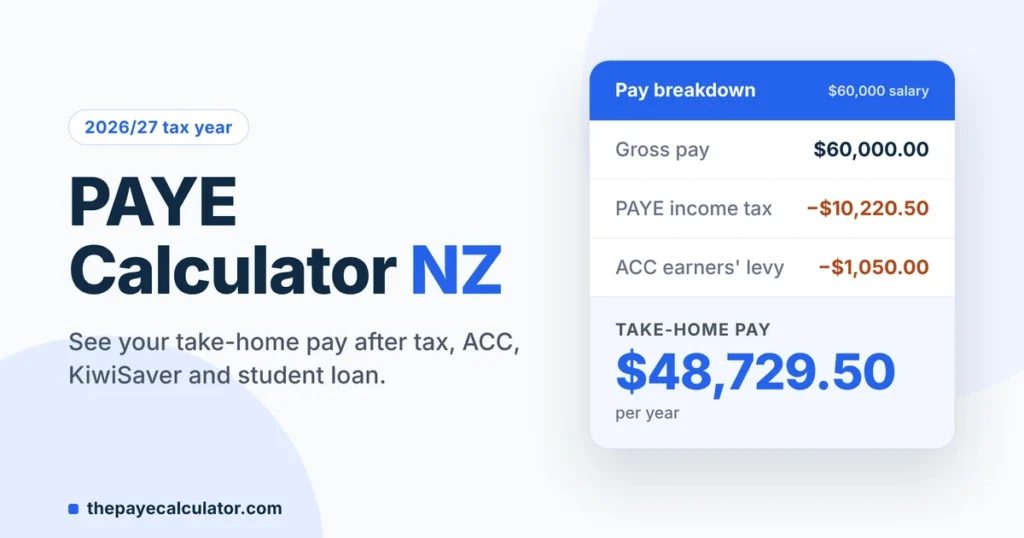
Type your pay below. Your PAYE tax, ACC levy, KiwiSaver, student loan and take-home pay update as you type, using 2026/27 rates.
Enter your gross pay for the period you pick below.
Not sure? Leave these as they are. Tax code M is for your main job.
How to Use the PAYE Calculator
Using this PAYE calculator for New Zealand takes about a minute and five simple inputs. Keep your payslip or job offer nearby, then follow the steps below to see your take-home pay. If you’re unsure which tax code or deduction applies to you, each step explains what to choose.
-
Enter your gross pay
Type in your salary, wage or hourly rate before tax. If you have a job offer, use the figure on it.
-
Choose your pay period
Pick how often you get paid so the result matches your payslip.
- Weekly
- Fortnightly
- Monthly
- Yearly
-
Select your tax code
Use the code on your IR330 form. Choose a secondary code if this job is your second income.
- M
- ME
- M SL
- Secondary codes
-
Add KiwiSaver and student loan details
Choose your KiwiSaver contribution rate and tick the student loan box if you make repayments.
-
Read your results
See your PAYE, ACC levy, KiwiSaver and student loan deductions, plus your net pay for the period you chose.
IRD PAYE Calculator vs This PAYE Calculator: Which Should You Use?
The IRD PAYE calculator is Inland Revenue’s official tool, so it’s a good place to confirm tax rules and codes. This calculator is an easy way to see your NZ take-home pay, with KiwiSaver and student loan options on one screen. Below is how the two compare, so you can choose the one that fits your question.
Pay Calculator : From Gross Pay to Take-Home Pay
This NZ pay calculator turns your gross pay into the net pay that actually reaches your bank account. Gross pay is what you earn before anything is taken out, while take-home pay is what’s left after PAYE, the ACC levy and any KiwiSaver or student loan deductions. The sections below show where each part of your pay goes.
Your pay before anything is taken out. It’s the salary, wage or hourly rate in your contract or job offer.
What reaches your bank account after tax and other deductions. It’s also called take-home pay.
For illustration only. Uses tax code M and 2026/27 rates, with no IETC, KiwiSaver or student loan. Your own result may differ.
Repayments come out of your pay when you use an SL tax code.
Repayment details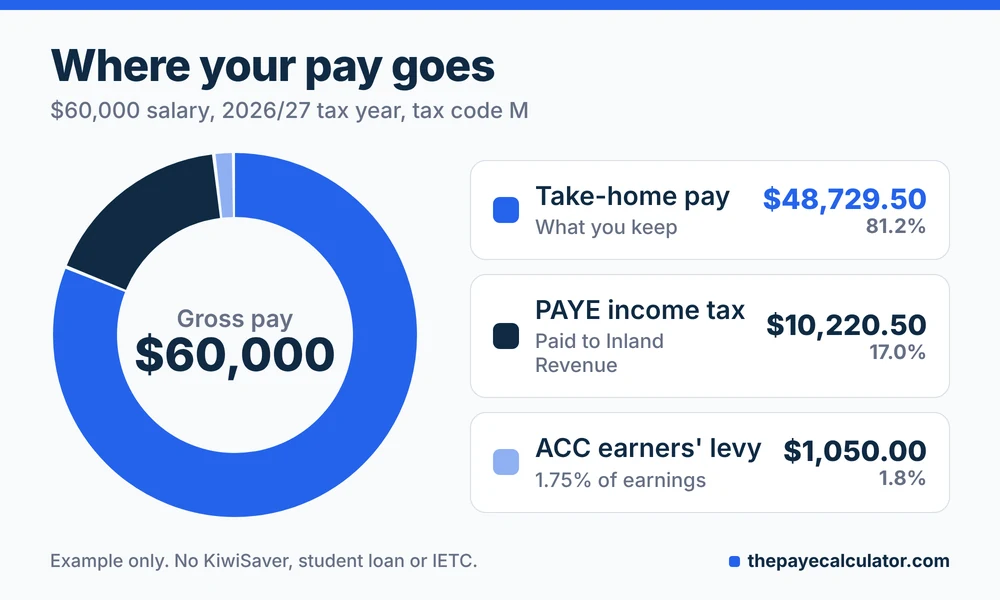
PAYE Calculator with KiwiSaver, Student Loan, ACC and IETC
PAYE is only part of the story. The ACC earners’ levy, KiwiSaver and student loan repayments can all come out of your pay, while the IETC can lower the tax you pay. This calculator includes each one, so you can see exactly how they change your take-home pay.
ACC Earners’ Levy
The ACC earners’ levy is 1.75% of your earnings, up to $156,641 a year. It pays for cover if you’re injured outside work, and your employer takes it out of your pay automatically. Because of the cap, the most anyone pays in a year is about $2,741.
KiwiSaver
KiwiSaver is a retirement savings scheme where a percentage of your pay goes into your account every pay. The default employee rate is 3.5%, and you can choose 3%, 4%, 6%, 8% or 10%. Your employer contributes as well. Read our KiwiSaver guide for the full details.
Student Loan (12%)
If you have a student loan, 12 cents of every dollar you earn above $24,128 a year goes towards repayments. This is taken from your pay through an SL tax code, so choose M SL or ME SL in the calculator. See our student loan guide for how repayments work.
IETC
The independent earner tax credit (IETC) is a tax credit of up to $520 a year, not a deduction. You may qualify if you earn between $24,000 and $70,000 and meet Inland Revenue’s other conditions, such as not receiving a main benefit or NZ Super. Above $66,000 it reduces gradually, and it is gone by $70,000. The ME tax code claims it through your pay.
of earnings up to $156,641 a year
default employee contribution rate
of income above $24,128 a year
maximum a year, for incomes of $24,000 to $70,000
Rates for the 2026/27 tax year (1 April 2026 to 31 March 2027).
How Much Is Your Pay After Tax Each Week, Fortnight, Month or Hour?
Most people think about pay in different ways: a weekly wage, a fortnightly payment or a monthly salary. This calculator shows your take-home pay for each one, plus an hourly figure based on a 40-hour week. The table below shows what $50,000, $70,000 and $90,000 look like after tax.
Primary Codes
A primary tax code is for your main job. Most people use M, while ME is for people who claim the IETC through their pay. If you have a student loan, add SL to get M SL or ME SL. You can only use one primary code at a time, and you set it on your IR330 form.
Secondary Codes
Any other job or income source uses a secondary code: SB, S, SH, ST or SA. The right one depends on your combined yearly income from all sources, not just the second job. A code that’s too high means you overpay during the year, while one that’s too low can leave you with a tax bill later. If you have a student loan, add SL to the code, for example ST SL.
The standard code for your main source of income.
For people who claim the IETC through their pay.
Adds student loan repayments to your PAYE.
Claims the IETC and includes repayments.
Have a student loan? Add SL to the code, for example ST SL. Rates are before the ACC levy.
NZ Tax Codes Explained: Which Code Should You Use for PAYE?
Most people think about pay in different ways: a weekly wage, a fortnightly payment or a monthly salary. This calculator shows your take-home pay for each one, plus an hourly figure based on a 40-hour week. The table below shows what $50,000, $70,000 and $90,000 look like after tax.
Take-home pay for the 2026/27 tax year with tax code M. Includes PAYE and the ACC earners’ levy, but not KiwiSaver, student loan or IETC. Hourly pay assumes a 40-hour week.
Employer PAYE Calculator : Check an Employee’s Take-Home Pay
Employers deduct PAYE from each employee’s pay and pay it to Inland Revenue, so the amounts need to be right. This calculator gives a quick estimate of an employee’s PAYE, ACC earners’ levy and take-home pay, which helps when checking a payslip or planning a pay offer. For official payroll, use payroll software or Inland Revenue’s PAYE tables.